๐Ÿ“ฆ Contents documentation, done right

Document every item.
Built around how your crew already works.

Photo-by-photo contents inventory for restoration jobs โ€” boxes, large items, electronics, soft goods, and unsalvageable, all in one place. Works offline in the field, syncs when you're back in signal, and turns into a report your adjusters can open in seconds.
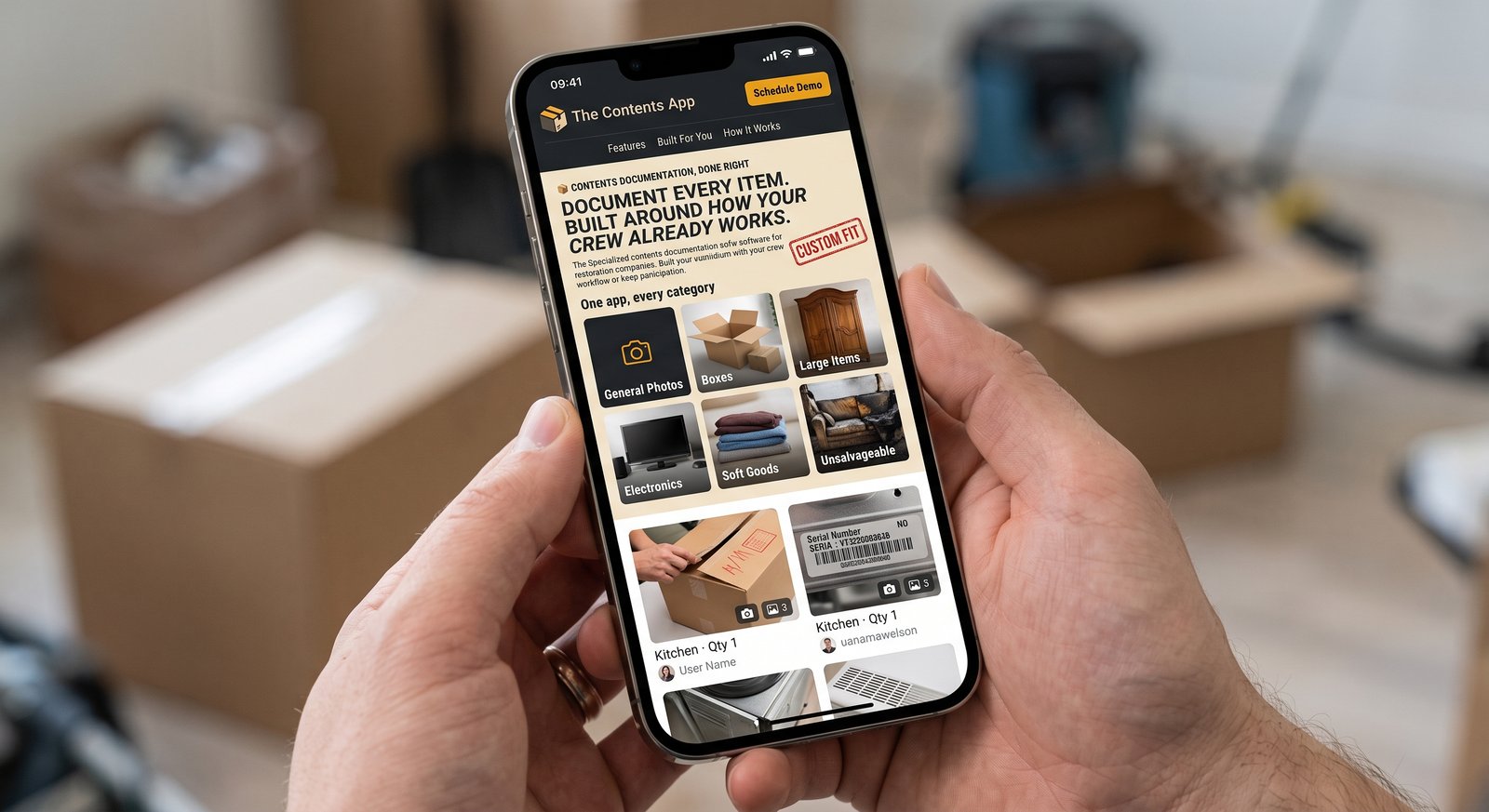
The Contents App open on a phone, showing the color-coded General Photos, Boxes, Large Items, Electronics, Soft Goods, and Unsalvageable sections
Built for restoration teams at companies like
ServProยทServiceMasterยทKey Restoration
What it covers

One app, every category your crew already sorts by

Each section is color-coded on-screen so techs never guess where a photo belongs โ€” and the same colors carry through to the final report.

๐Ÿ 

General Photos

Overall room condition shots taken before contents work begins โ€” the baseline record for every job.

๐Ÿ“ฆ

Boxes

Dishpack, Small, Medium, Large, or XL โ€” tagged by room, with every item inside photographed and counted.

๐Ÿ“

Large Items

Furniture, mattresses, and appliances that never fit in a box, documented on their own.

๐Ÿ”Œ

Electronics

TVs, computers, and appliances tracked separately with room and condition notes.

๐Ÿ‘•

Soft Goods

Clothing and linens โ€” one photo can cover five items with a quantity count, not five photos.

โš ๏ธ

Unsalvageable

Total losses get their own record, with room for multiple angles per item and a dedicated loss report.

Not a template

Every company packs differently. Yours should look like yours.

We configure The Contents App around how your team already runs a job โ€” not the other way around.

  • 01
    Your box sizes and termsKeep the labels your crew already uses on the truck.
  • 02
    Your sectionsAdd, rename, or drop categories to match how your team sorts contents.
  • 03
    Your report layoutBranded with your company name, formatted the way your adjusters expect to see it.
  • 04
    Your field conditionsFull offline support, so a job with no signal never means a lost photo.
#1
Box 1
#2
Box 2
#3
Box 3
#4
Box 4
Kitchen ยท Qty 3
Kitchen ยท Qty 1
Kitchen ยท Qty 2
The workflow

Three steps, start to finish

No training manual required โ€” if your crew can use a camera, they already know how to use this.

01

Snap

Photograph every item on site, box by box or item by item. No signal, no problem โ€” it syncs the moment you're back online.

02

Sort

Each photo lands in the right box or section as you go, tagged with room, quantity, and who took it.

03

Send

Generate a branded PDF report in seconds โ€” for the whole job, or just the loss items your adjuster needs.

See it running on a real job.

Book a short demo and we'll set it up around one of your current jobs โ€” box sizes, sections, and report format included.